A practical, step-by-step guide to making memes people actually share, from the first idea to formats, captions, phone-friendly design and posting.
Every meme you have ever forwarded started as somebody’s blank image and a half-formed thought. The difference between one that fizzles in a single group chat and one that gets screenshotted, remixed and sent to three more group chats is rarely luck: it comes down to a handful of choices you can learn. Here is the step-by-step process we use, from the first “ha, that’s so true” moment to the final download.
In this article
- What makes a meme shareable?
- Step 1: Start with an observation, not a template
- Step 2: Pick the right format for the joke
- Step 3: Choose or create your image
- Step 4: Write the caption (where memes win or lose)
- Step 5: Design for a phone screen
- Step 6: Build it in about two minutes with our Meme Maker
- Step 7: Test it before you post
- Step 8: Post it smart
- Common meme mistakes (and quick fixes)
- Memes for brands, classrooms and parties
- Frequently asked questions
Key takeaways
- Start with a specific, true observation, then find a format that fits it, not the other way around.
- Familiar formats do half the work: viewers already know the “rules,” so your twist lands faster.
- Cut your caption until it hurts. Setup first, punchline last, and as few words as the joke allows.
- Design for a phone at arm’s length: high contrast, big text, nothing important near the edges.
- Test it on one real person before posting, and never make a private person the punchline.
What makes a meme shareable?
The word “meme” comes from Richard Dawkins’ 1976 book The Selfish Gene, where he used it for ideas that spread from person to person by imitation. Internet memes took that idea literally. In Memes in Digital Culture (2014), communication scholar Limor Shifman describes internet memes as groups of content items that share common characteristics and are created with awareness of each other, then circulated, imitated and transformed by many users. In plain English: a meme is a joke built to be copied and changed. (If you want the full backstory, our history of internet memes traces it from Dawkins to TikTok.)
The memes people actually pass along tend to share five qualities:
- Recognition. The format is familiar, so the viewer instantly knows how to read it.
- Relatability. It names a small, specific truth the viewer has felt but never put into words.
- A benign twist. Psychologists Peter McGraw and Caleb Warren’s 2010 benign violation theory suggests we laugh when something seems “wrong” but is also safe. A meme about your dog guarding an empty bowl like a bank vault hits exactly that spot. (Our guide to the science of laughter goes deeper.)
- Speed. It reads in a couple of seconds.
- Identity. Sharing it says something about the sender: “this is so us,” “this is my job,” “this is our family.”
Step 1: Start with an observation, not a template
The most common beginner mistake is opening a meme generator, picking a popular image and then hunting for something to say. That produces memes that look right but say nothing. Instead, start with the idea.
Good meme ideas live in small, shared frustrations and quiet absurdities. Keep a running note on your phone and jot down moments like these:
- The “quick question” message that contains seven questions.
- Buying a new storage container and having nothing to store in it.
- The cat ignoring a $40 bed to sit in the box it came in.
Then write the joke as a single plain sentence, with no format yet: “My cat prefers the free box to the expensive bed.” If the sentence isn’t at least a little bit funny on its own, no template will save it. If it is, you’re ready to choose a format.
Step 2: Pick the right format for the joke
Formats are the grammar of memes. Each one has built-in rules that viewers already understand, which means you can skip the explanation and go straight to the punchline. Match the format to the shape of your joke:
| Format | How it works | Best for | Example idea |
|---|---|---|---|
| Image macro (top/bottom text) | Setup on top, punchline on the bottom over one image | Single-beat observations | Top: “Buys a $40 cat bed” / Bottom: “Cat sits in the box” |
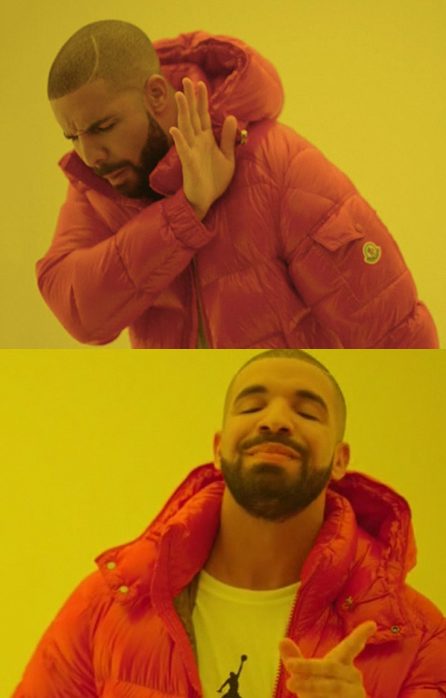
| Two-panel “nope / yep” | A character rejects one option and approves another | Preferences and absurd upgrades | Nope: “Going to bed early” / Yep: “Reading about octopuses until 1 a.m.” |
| Labeled image | Labels placed on people or objects in a scene | Competing priorities, temptations | “Me” glancing at “a new hobby” while “my five unfinished hobbies” look on |
| Escalation panels | Three or four panels where each idea gets “bigger” | Ironic over-thinking | Ordering pizza → making pizza → growing tomatoes for pizza sauce |
| Reaction image + caption | “When…” text above an expressive face or pet | Relatable moments | “When the group chat goes silent right after you send a long message” |
| Starter pack / grid | A collage of items that define a “type” | Affectionate stereotypes of hobbies or roles | “New gardener starter pack”: 14 seed packets, one surviving plant |
| Short video with on-screen text | A clip plus a caption that reframes it | Movement, timing, sound | Dog sprinting at the sound of a cheese wrapper: “Me hearing ‘free snacks in the break room'” |
Rule of thumb: one idea, one format. A setup and payoff suits an image macro or reaction image; a contrast suits two panels; a list suits labels or a starter pack.
Watch the baggage. Before you use a template you didn’t make, search it quickly. Some formats have picked up associations you may not want attached to your joke, and many popular templates feature real people. A friendly, observational caption is fine; making the person in the image the target of mockery is not.
Step 3: Choose or create your image
The picture carries tone before anyone reads a word. A few things separate good meme images from weak ones:
- One clear subject. A face, a pet, an object.
- Strong emotion. Exaggerated expressions (smug, betrayed, overwhelmed, suspiciously calm) read instantly, even at thumbnail size.
- Room for text. Sky, a wall, a tabletop or a plain area at the top or bottom saves you from covering the best part of the image.
- Decent resolution. Aim for at least 1,000 pixels on the short side. Blurry, over-compressed images look careless unless the “deep-fried” look is the joke.
Your own photos are the safest and often the funniest option. Pets, houseplants, burnt toast, a toddler’s crayon masterpiece (with the artist’s permission) and the overflowing junk drawer are all original, relatable and yours to use. Avoid photos of private people, especially kids who aren’t yours, without their permission, and never use an image to embarrass someone.
When you remix existing images, copyright still applies. Commentary and parody can fall under fair use in the US (Section 107 of the Copyright Act), but fair use is decided case by case, not guaranteed by the word “meme.” The US Copyright Office has a plain-language fair use overview, and our meme etiquette and copyright guide covers sharing responsibly.
Step 4: Write the caption (where memes win or lose)
A great image with a lazy caption is just a picture. Most of your effort belongs here. These rules hold for nearly every format:
Put the punchline last
Our eyes read top to bottom, left to right. Whatever comes last gets the laugh, so the surprising word belongs at the very end. “Cat ignores expensive bed, sits in box” is weaker than “Buys cat a $40 bed / Cat chooses the box.”
Cut every word that isn’t working
Write the caption, then delete a third of it. Then try again. Words like “when you,” “literally,” “basically,” and “that moment when” can often go. Many strong captions land in roughly ten words or fewer, though there’s no magic number; the test is whether every word earns its spot.
Be specific
Specific details are funnier because they feel true. “Snacks” is fine; “the last granola bar that everyone pretends not to want” is a story. “A long meeting” is vague; “a meeting that could have been a two-line email” is a shared memory.
Write in your audience’s voice
A meme for teachers, gamers or knitting circles should use their vocabulary, as long as the reference is shared by the group, not only by you.
Don’t explain the joke
If you’re tempted to add a third line clarifying the first two, the format or the wording isn’t doing its job. Go back to Step 2.
Here is one idea taken through three drafts:
| Draft | Caption | What’s wrong / right |
|---|---|---|
| 1 | “When you have a lot of work to do but instead you decide that now is the perfect time to clean your entire house” | Too long, vague, punchline buried in the middle |
| 2 | “Me with a deadline: time to clean the house” | Shorter, but “clean the house” is generic |
| 3 | “Me: has a deadline / Also me: alphabetizing the spice rack” | Specific, visual, punchline last |
Step 5: Design for a phone screen
Most memes are seen on a phone, often as a small preview in a feed or chat. Design for that reality.
Fonts and contrast
The classic image macro look is Impact in white capitals with a thick black outline. The outline keeps text readable on any background, which is why the style became standard. The more modern look is plain black sans-serif text on a white caption band above the image, which feels like a social post and handles longer captions well. Either works; just don’t use thin, decorative or script fonts, which disappear on small screens.
Size and placement
- Make text big enough to read when the whole image is the size of a postage stamp. Test it by holding your phone at arm’s length.
- Keep text and key details away from the outer edges. Feeds crop, and vertical video apps lay buttons, usernames and captions over the sides and bottom of the frame.
- Never place text over the subject’s face unless covering it is part of the joke.
Common dimensions
| Shape | Aspect ratio | Typical pixel size | Good for |
|---|---|---|---|
| Square | 1:1 | 1080 × 1080 | Classic image macros, most feeds and chats |
| Portrait | 4:5 | 1080 × 1350 | Caption-band memes; takes up more of a scrolling feed |
| Vertical | 9:16 | 1080 × 1920 | Stories and short vertical video |
| Landscape | 16:9 | 1920 × 1080 | Slides, presentations, video thumbnails |
Platforms tweak their recommendations, so check current guidance for business posts. For file types, PNG keeps text edges crisp, JPG makes photo-heavy images smaller, and MP4 is the better choice than GIF for anything longer than a few seconds.

Step 6: Build it in about two minutes with our Meme Maker
You don’t need design software. Our free Meme Maker runs right in your browser:
- Choose your image. Upload your own photo or pick a ready-made template.
- Add your text. Type the setup in the top box and the punchline in the bottom box.
- Adjust size and position so the text is large, readable and clear of faces and edges.
- Preview it small. Shrink your browser window or step back from the screen to check legibility.
- Download the PNG and you’re ready to share.
Make three versions. Few jokes are at their best in the first draft. Save two or three caption variations of the same image, then pick the strongest one the next morning.
Step 7: Test it before you post
A meme that makes you laugh alone at midnight may not survive daylight. Run these quick checks:
- The one-person test. Send it to someone who belongs to your target audience. If you have to explain it, rewrite it.
- The two-second test. Can a stranger understand it in the time it takes to scroll past?
- The kindness test. Would you be comfortable if the person or group in the joke saw it? Good memes punch at situations, habits and universal experiences, not at individuals or groups of people.
- The sleep-on-it test. If it’s not time-sensitive, look at it again tomorrow. Weak jokes look weaker; good ones still make you smile.
Step 8: Post it smart
How you share affects how far a meme travels, and how good you feel about it.
- Know your window. Memes tied to a trend or event have a short shelf life, so speed matters. Evergreen memes about everyday life (Mondays, pets, siblings, laundry) can be posted any time and resurface for years.
- Upload natively. Post the image file itself rather than a link to it, so people see it in full without clicking away.
- Add alt text. Describe the image and include the caption text so people using screen readers get the joke too. Example: “Cat sitting in a cardboard box next to an empty plush bed. Text: Buys cat a $40 bed / Cat chooses the box.”
- Credit original creators. If you remix someone’s original artwork or photo, credit them, and never crop out another creator’s watermark.
Common meme mistakes (and quick fixes)
| Mistake | Why it hurts | Quick fix |
|---|---|---|
| Wall of text | Readers scroll past before the punchline | Cut to the setup and payoff; move details to the post caption |
| Punchline on top | The surprise is spoiled before the setup | Swap the lines so the twist comes last |
| Low-contrast text | Unreadable on phones | Add an outline, a caption band or a darker area behind the text |
| Mocking a real person | Hurtful, and can create legal and reputational trouble | Aim the joke at a situation or yourself instead |
Memes for brands, classrooms and parties
For a business or club
Brand memes work when they sound like a person, not a press release. Use your own or properly licensed images and keep the humor tied to your customers’ real experiences. To hand the job off, our custom meme design service creates original memes from your idea.
In the classroom
Summarizing a chapter or science concept as a meme is a sneaky exercise in concision: to make it funny, students must first understand what matters most. Set rules up front: kind humor only and no classmates or staff as subjects.
At a party
Print a stack of funny photos and let guests caption them, or run a timed team challenge on a laptop. Our roundup of meme party games has twelve ready-to-run ideas for every age group.

Frequently asked questions
What is the best font for memes?
The traditional choice is Impact in white capital letters with a black outline, because it stays readable on almost any background. Modern caption-style memes often use a clean black sans-serif on a white band above the image. Avoid thin or decorative fonts, which are hard to read on phones.
Can I use any image I find online for a meme?
Not automatically. Images are usually protected by copyright, and while commentary and parody may qualify as fair use under US law, that is judged case by case. Your own photos are the safest choice, and you should never use pictures of private people to embarrass them.
How long should a meme caption be?
As short as the joke allows. Many strong captions are around ten words or fewer, but the real test is whether every word is necessary and whether the punchline comes last.
What size should a meme image be?
A 1080 × 1080 square works almost everywhere. Use 1080 × 1350 for portrait feed posts and 1080 × 1920 for stories and vertical video. Keep text away from the edges because apps crop and overlay buttons.
Do I need an app or software to make a meme?
No. A browser-based tool like the Grin & Print Meme Maker lets you upload a photo or choose a template, add top and bottom text, and download a PNG in a couple of minutes, with nothing to install.
Now it’s your turn: grab that observation you’ve been sitting on, open the Meme Maker, and make three versions before you pick a winner. The world can always use one more kind, specific, laugh-out-loud meme.
caption writinghow-tomeme formatsmeme makermemes
Grin & Print Editorial Team
We write clean, kind, genuinely useful humor guides and test every printable at our own parties. Read our editorial guidelines.